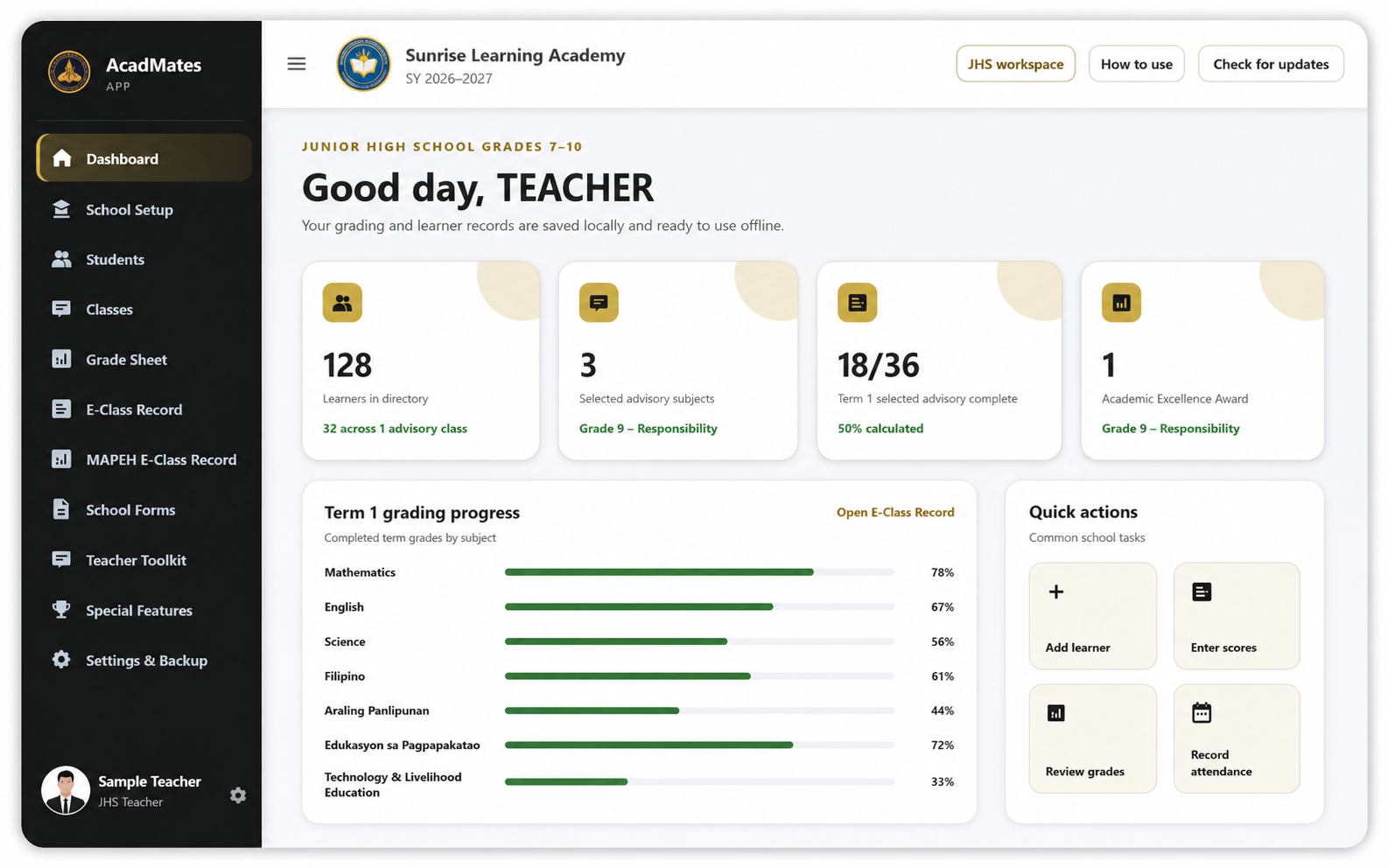
Official AcadMates PH software

AcadMates on Windows and Android, connected through one licensed account.

Download the current stable AcadMates App for Windows or Android. Transfer the complete workspace between supported devices using Upload this device and Get cloud data.

Stable releases available Windows v1.3.0 Android v1.0.4
AcadMates App · Windows v1.3.0
YOUR SCHOOL NAMESchool Year 2026–2027
Secure activationUse the licensed Gmail account
Manual cloud transferUpload from the source, download on the receiving device
Offline workspaceContinue working locally after activation
Safe updatesExisting records are preserved during supported updates
Official downloads

Choose the version for your device

Only download from an official AcadMates PH domain. A valid license is required after installation.

Available now

Windows

Full AcadMates App for Windows laptops and desktop computers, including official downloads and printing.

Current versionv1.3.0
  • Windows 10 or 11
  • 64-bit processor
  • Automatic app updates
  • Download and print official files
Download Windows v1.3.0
Available now

Android

Touch-optimized AcadMates app for Android tablets and phones, designed for entering, editing, and reviewing records.

Current versionv1.0.4
  • Android tablet or phone
  • Manual cloud transfer
  • Local backup and restore
  • Official output is completed on Windows
Download Android v1.0.4
Planned

macOS

A dedicated Mac laptop edition is planned and will require a separately signed and notarized installer.

Planned

iPad & iPhone

A dedicated Apple mobile edition is planned and will be distributed separately after platform testing.

Moving records between devices: On the device with the complete and latest records, select Upload this device. On the receiving device, select Get cloud data. Use the same licensed Gmail account on both devices.
Built for school work

One system for records, grading, and teacher tools

01

Grade Sheet

Manage advisory records, subject grades, learner profiles, and school forms.

02

E-Class Record

Encode scores, compute term grades, and prepare official summaries.

03

Teacher Toolkit

Create activities, rubrics, classroom materials, and printable resources.

04

Local backups

Create and restore backups while keeping records on the user’s device.

05

Level-specific licensing

Access only the purchased Elementary, JHS, or SSHS module.

06

Manual cloud transfer

Move the complete workspace between supported devices without background conflict syncing.

Platform availability

Use the correct AcadMates edition for each device

The website keeps one product identity while each platform receives its own installer and release version.

Available

Windows desktop · v1.3.0

Official installer, licensing, full workspace, backups, downloads, printing, updates, and manual cloud transfer.

Available

Android tablet and phone · v1.0.4

Touch-first data entry, local backups, app updates, and manual cloud transfer with Windows or another Android device.

Planned

macOS desktop

Mac-specific packaging, file handling, signing, notarization, and update delivery remain under development.

Planned

iPad and iPhone

A separate Apple mobile release will follow platform testing and distribution requirements.

Need assistance?

Purchase and support remain with AcadMates PH.

Complete payment first, send your receipt through the official AcadMates PH support channel, then receive the correct license for your purchased level.